Reporting in Thatch
Your Thatch dashboard includes a Reporting page, giving you visibility into your enrollment and financial data, all in one place.
The Reporting page lets you:
- View all previously generated reports, including monthly Thatch-generated reports and any custom reports you've created
- Access the Insights tab for visual data on enrollments, spend, allowanceallowanceThe amount an employer makes available to help employees pay for coverage or eligible expenses. utilization, and carriers
- Create new custom reports using our report builder
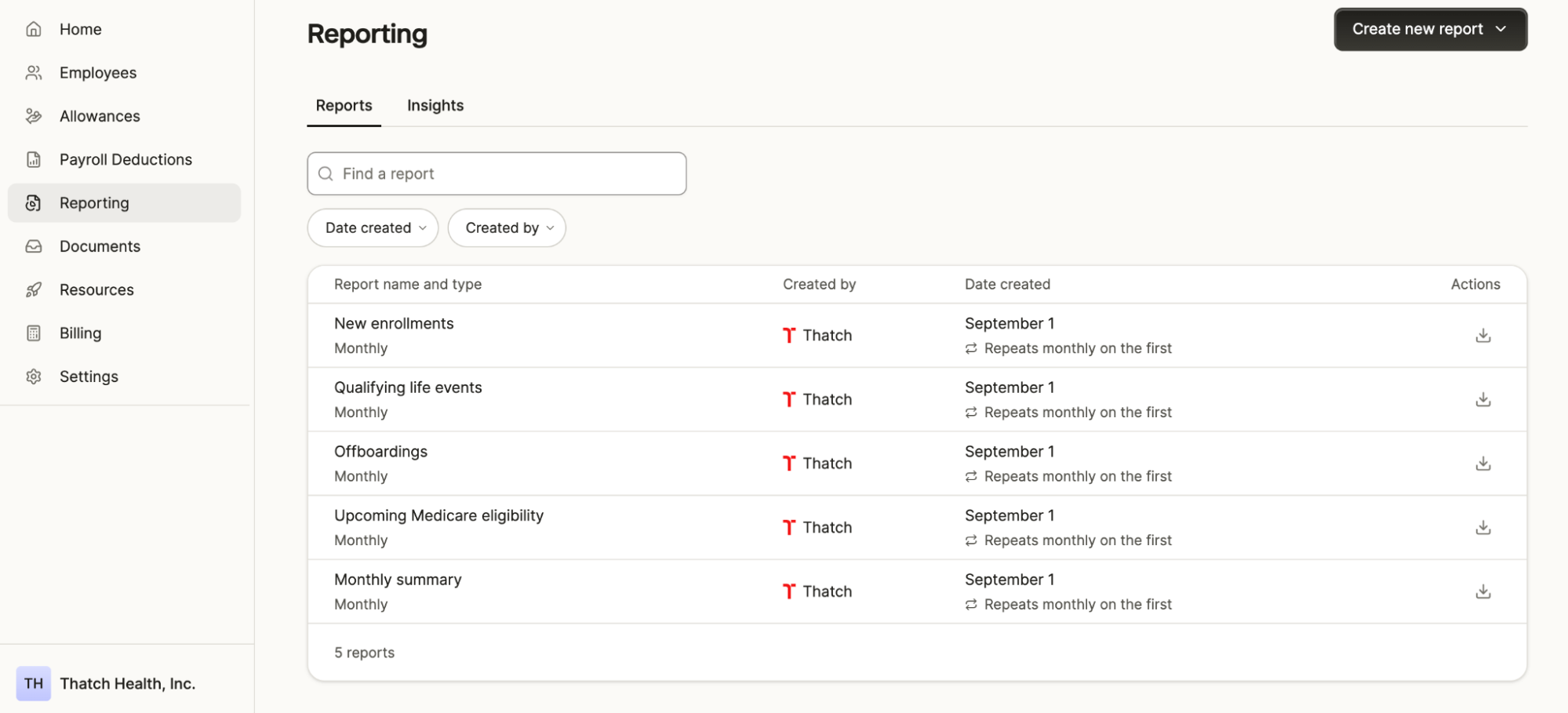
You can filter the list of reports by the date the report was created or by the admin who created it.
Access the Thatch-generated monthly reports
At the start of each month, Thatch automatically generates five reports summarizing what happened in the previous month. For example, reports generated on September 1 reflect August's data. These reports can be downloaded as a CSV.
- Offboardings – employees offboarded in the previous month
- Qualifying life eventsqualifying life event (QLE). A change in life—such as marriage, birth, or loss of other coverage—that may allow employees to change benefits mid-year. – employees who had a qualifying life eventqualifying life event (QLE). A change in life—such as marriage, birth, or loss of other coverage—that may allow employees to change benefits mid-year. in the previous month
- New enrollments – new hires and enrollments from the previous month
- Upcoming Medicare eligibility – employees approaching Medicare eligibility (populated starting three months before they turn 65)
- Monthly summary – an aggregated view of the previous month's finances and enrollment, including:
- Total billed (healthcare costs and platform fees)
- Platform fees
- Employee contributions
- Employer net healthcare cost
- Total unspent balance: your outstanding Qualified Medical Expensequalified medical expense (QME). A type of healthcare cost that counts as eligible for specific plans or accounts. (QME) liability, since Thatch doesn't bill for full allowancesallowanceThe amount an employer makes available to help employees pay for coverage or eligible expenses. upfront
- Enrollment count
Gain insights into your data
The Insights tab provides visual breakdowns of your employer-level data, including enrollments, spend, allowanceallowanceThe amount an employer makes available to help employees pay for coverage or eligible expenses. utilization, and carrier information.
Create custom reports
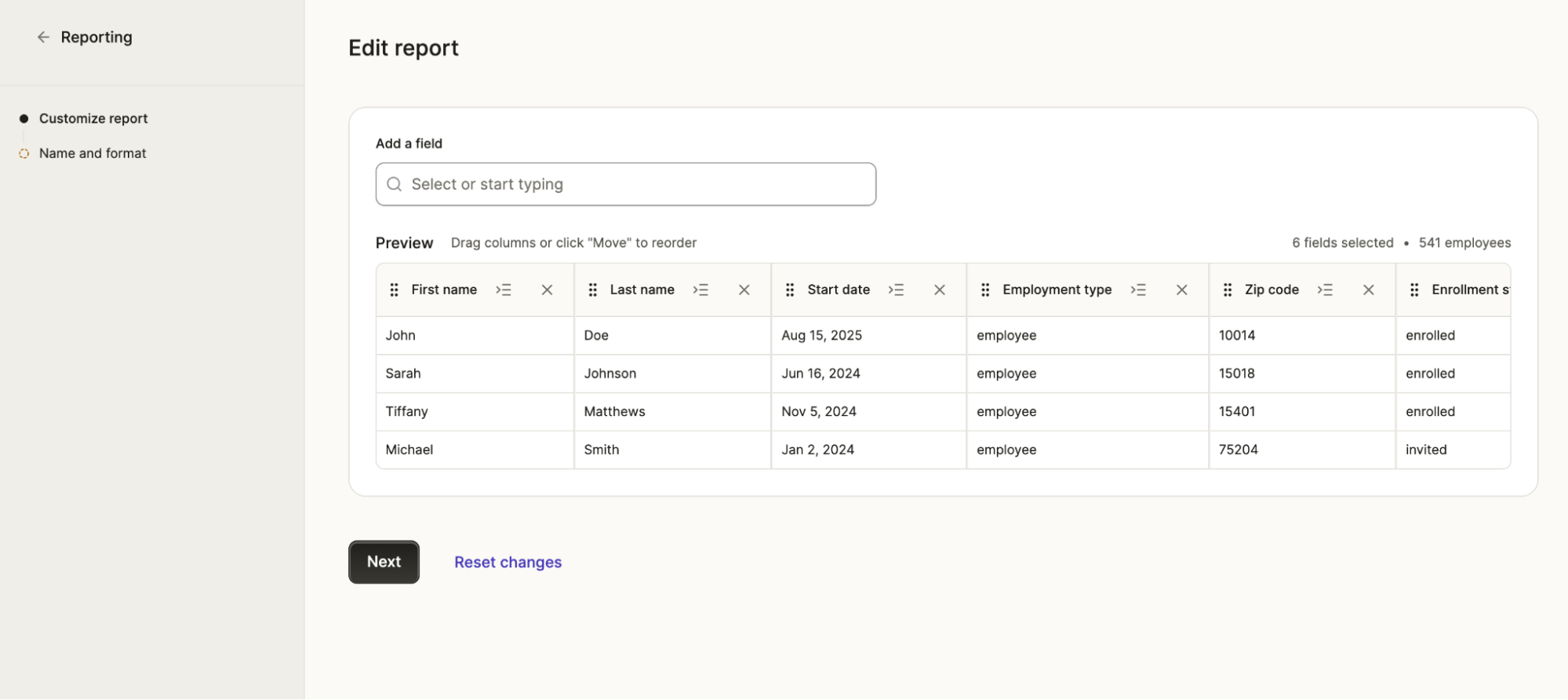
The custom reporting engine lets you build and download your own reports directly in Thatch. You can toggle columns on or off and reorder them before downloading.
A few things to know:
- By default, reports include all employees, but you can filter by employment type or select specific employees to include.
- You can see a preview of your report showing the first four employees. Your downloaded report will include your full employee list.
- After creating a report, you can save it as a named template to reuse later. The dashbboard includes two suggested templates—a "Year-to-date report" and an "Accounting report"—as helpful starting points, though these are entirely optional.